
Discover how structured cabling impacts your office network setup. A strong cabling foundation is essential for reliable network performance and growth.

October 29, 2026
Slow service desk resolution is often the first sign of weak IT asset management, appearing well before any budget problems. Recurring help desk delays usually point to asset data gaps, not staffing or skill issues.
Picture a help desk ticket that should take ten minutes: a laptop won't connect to the VPN, and the fix is routine. Instead, the technician spends half an hour just figuring out which laptop it is, whether it's still under warranty, and what software it's supposed to be running.
That gap between a simple problem and a slow resolution often traces back to one thing: weak IT asset management.
Gaps in asset data tend to delay service desk resolutions long before budget overruns ever show up on a spreadsheet.
IT asset management means keeping track of every piece of hardware and software a business owns, from the day it's purchased to the day it's retired. Knowing exactly what assets exist, where they sit, and how they're being used makes problems faster to solve and surprises rarer. That visibility matters most when things are changing quickly, which is exactly the position many growing businesses find themselves in.
For businesses in New York City, especially those adding headcount and equipment at a steady clip, a clear view of assets isn't only a cost-control measure—it's what keeps day-to-day operations from quietly grinding down.

Every ticket a service desk handles depends on quick access to accurate asset data. When it's unclear which device belongs to which user, or which software version is installed, troubleshooting stalls before it really starts. The slowdown rarely announces itself as an asset problem, so many businesses assume the fix is more staff or better training.
More often, though, the real issue is incomplete or outdated asset records. Without a dependable inventory, even a simple request—resetting a laptop, pushing a software update—turns into a small investigation, with the service desk burning time hunting down details that should already be on hand.
This pattern shows up most in organizations that have grown fast or swapped systems without updating the asset management process to match. Once that happens, delays stop looking like exceptions and start looking like business as usual, which makes the root cause even easier to miss.
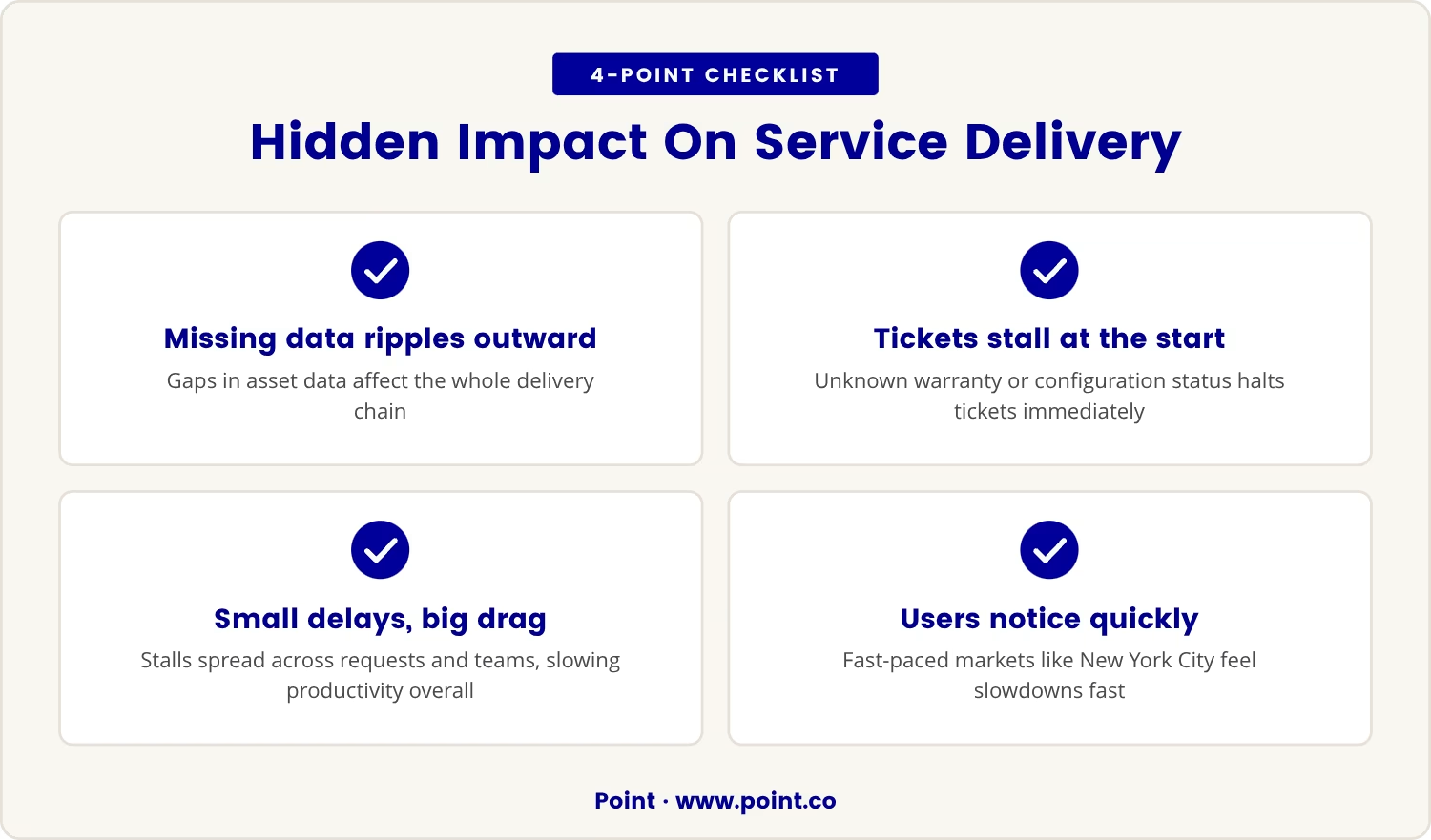
Service management runs on having the right information at the right moment, so when asset data goes missing, the effects ripple through the entire delivery chain. A user reports a device problem, but if the service desk can't confirm its warranty status or configuration, the ticket stalls right at the starting line.
That stall rarely stays contained to one ticket—it tends to slow every request tied to that same asset, and across teams, those small delays accumulate into a real productivity drag. In New York City, where businesses often run on fast turnaround expectations, even minor slowdowns register with users quickly.
The trouble is that none of this shows up as a line item in a budget. Instead, it surfaces as lost time, frustrated users, and a service desk that looks less capable than it actually is.
A strong IT asset management system gives the service desk exactly what it's been missing: reliable information on demand. When every asset is tracked from acquisition through its full lifecycle, support staff can identify devices, pull up histories, and resolve issues without the preliminary guesswork.
That single source of truth for hardware and software means the service desk already knows what's in use, what's under warranty, and what needs attention, which cuts time off every ticket and lifts the overall quality of service delivery.
In Manhattan and Brooklyn, where office moves and staff turnover happen often, keeping asset data current matters even more—without it, even a highly capable service desk team is working with one hand tied behind its back.
Seeing how asset management affects the service desk means tracing each stage of the asset lifecycle, since gaps tend to creep in at predictable points. Here's where that happens:
When new devices or software are purchased, missing details—serial numbers, license keys—make future support harder than it needs to be.
If assets aren't properly assigned to users or locations, the service desk struggles to identify who's actually affected once an incident hits.
Without accurate records, scheduled maintenance and software updates get missed, and small issues turn into preventable ones.
When changes to hardware or software go unlogged, troubleshooting becomes guesswork, and the odds of a wrong fix go up.
Retired assets left in the records confuse later, wasting time on devices that no longer even exist.
Untracked software licenses lead to compliance gaps or make users wait longer than they should for new applications.
Slow service desk performance doesn't always point clearly back to asset management, so it helps to know the warning signs:
If several of these sound familiar, the asset management process is probably due for a review.
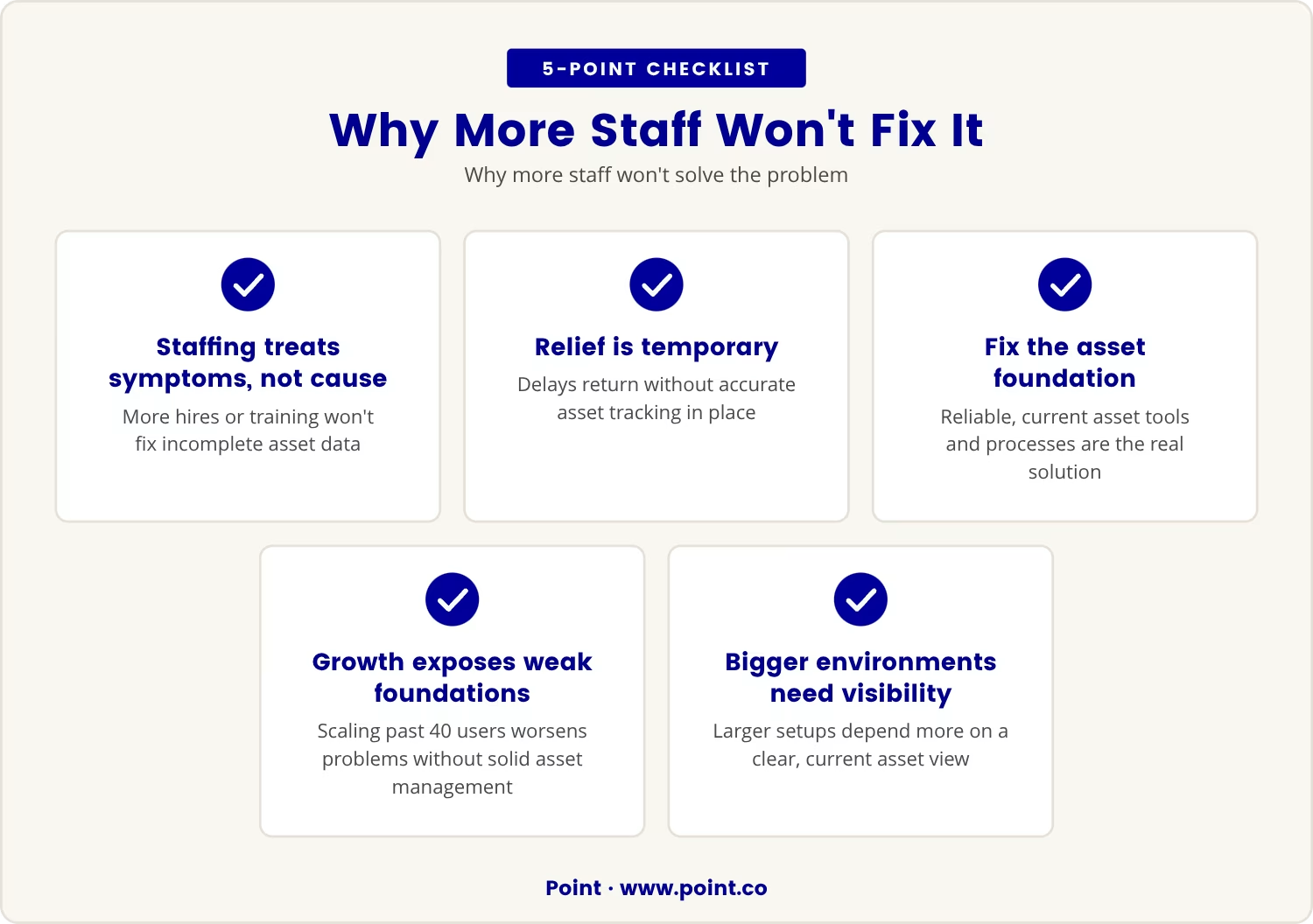
It's tempting to assume that hiring more service desk staff or investing in training will speed up ticket resolution. But when the underlying asset data is incomplete, both moves treat the symptom while leaving the cause untouched.
Extra hands might ease the pressure for a while, yet without accurate asset tracking, the same delays creep back in. The actual fix is making sure the asset management tools and processes behind the service desk are reliable and current.
For growing businesses, especially those with 40 or more users, scaling up without a solid asset management foundation tends to make service desk problems worse rather than better. The larger the environment gets, the more it depends on a clear, current view of every asset in it.
Fixing asset management is less about new technology and more about habits that keep the records honest day after day. That means:
Once these practices settle into daily operations, service desk performance tends to improve on its own, with less time spent searching for information and more spent solving the problems that actually matter.
Budget overruns draw attention, but the deeper cost of weak asset management usually hides in lost productivity and slower service delivery. Left unaddressed, these delays chip away at customer satisfaction and pull a team's focus away from higher-value work.
Closing asset data gaps early breaks that cycle of recurring service desk delays and puts a business on steadier footing for growth.

At Point, we know that businesses with 15 to 200 users—especially those scaling past 40—can run into service desk delays that aren’t caused by staff or skills, but by missing asset data.
We invite you to see how our approach can help you close these gaps and keep your support team running smoothly. Let’s talk about your current setup and where asset management can make a difference.
Qualifying businesses can receive up to $5,000 in free network upgrades to help address asset management challenges and improve support speed.
Claim your free network upgrade
Watch for recurring ticket slowdowns, especially ones where staff keep asking users for basic asset details instead of already having them on file. A team that regularly struggles to confirm accurate information about devices or software is usually dealing with an asset management gap rather than a staffing or skills problem.
Asset management tools put up-to-date asset data in front of the service desk instantly, cutting the time spent searching and leading to faster resolutions with fewer errors. Many also automate routine tasks like tracking software licenses and scheduling maintenance, freeing staff to focus on more complex issues.
Hardware asset management tracks every device through its full lifecycle, from purchase to disposal, which matters most for organizations scaling quickly. That clarity prevents confusion during onboarding, upgrades, or office moves, and it helps support teams identify and resolve hardware issues fast enough to keep downtime to a minimum.
Asset tracking monitors the location, status, and assignment of each asset in real time, while inventory management covers the broader process of acquiring, storing, and retiring assets. Both matter, but asset tracking carries more weight for resolving service desk tickets quickly since it supplies immediate context for each device or software item.
Build in regular reviews and updates, especially after major changes like new hires, device upgrades, or software deployments, and make sure the team logs changes as they happen rather than after the fact. Automated ITAM tools help cut down manual errors and keep records current, which supports both service delivery and compliance.